 Alpha Docs
 Quick Start
1. Install
- Open the Alpha Desktop setup file that has been shared to you (check your emails).
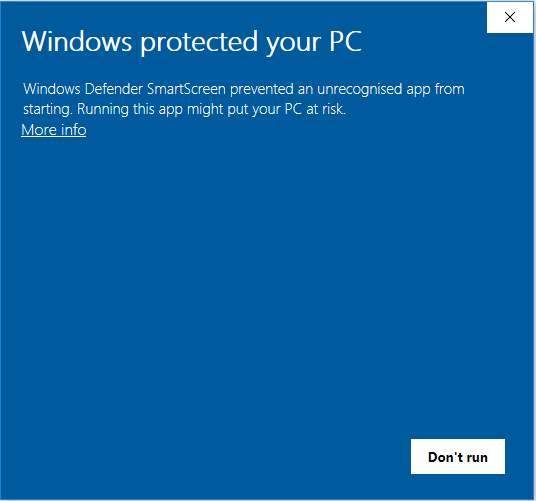
- If you see this screen:
- Click on
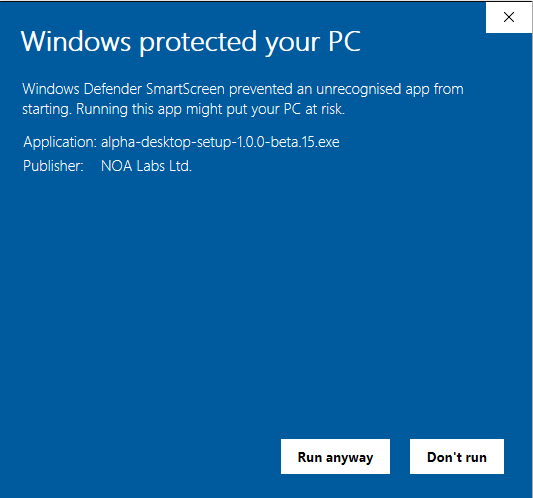
More info. - Then you should see this screen.
- And click on
Run anyway.
- Click on
- The installation will run and will open the app automatically.
- Alpha Desktop will run automatically at the startup of your machine.
TIP
For the curious people, this screen appears because the app certificate is still very fresh and needs a lot of installations to be trusted.
2. Sign In
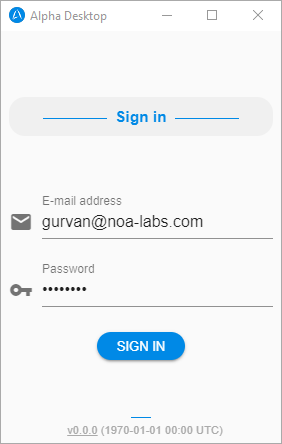
- Use your NOA email address.
- Use the password which has been shared to you (check your emails).
- Click the
Sign Inbutton (or press Enter).
3. Start using the app!
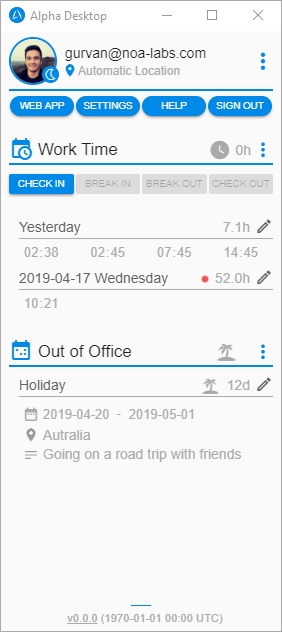
What you can do on Alpha Desktop:
- Change your current location
- Manage your time entries
- Apply for a leave
4. Go Further
You are now ready to use Alpha Desktop!
If you want to know more, you can go to the next section.